









A healthier workday does not always begin with a major change. Sometimes, it starts by repositioning a monitor, relaxing the shoulders, adjusting the way we sit or choosing to stand up during a short break.
How can we sit more comfortably? When should we step away from the screen? And how can a short break during the day become genuinely useful?
These familiar questions were explored during Workshop Healthy Spine, one of the activities held as part of AXANH Healthy Spine Week. With guidance from a doctor and a physical therapy technician, the session offered practical and easy-to-understand insights connected to the everyday working experience of AXANH team members.
Participants did more than listen. They observed how their bodies responded, practised gentle movements and adjusted each action under expert guidance. This hands-on experience helped turn familiar principles into practical habits that could continue beyond the session.
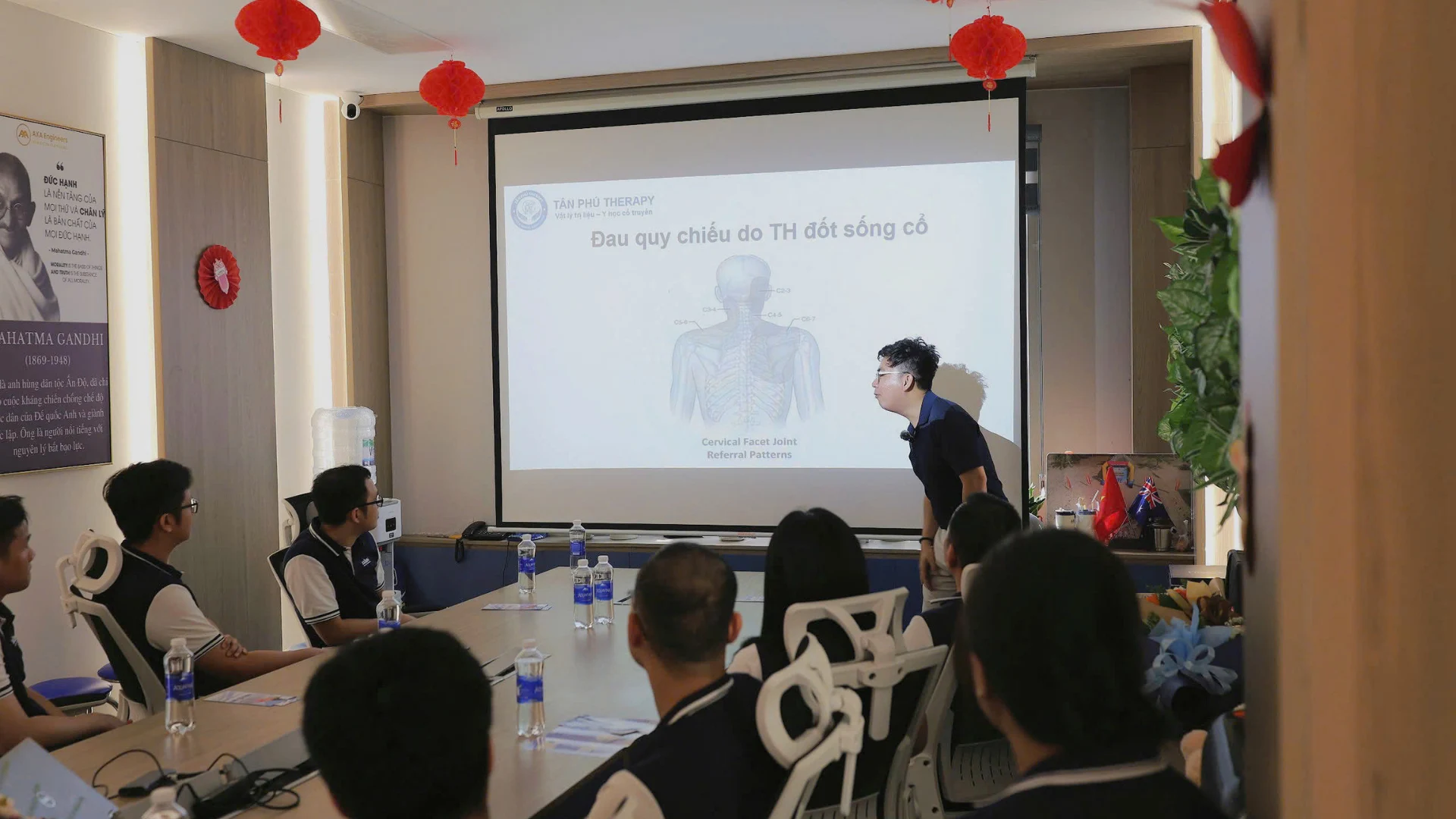
What did Workshop Healthy Spine offer?
The session helped team members better understand the factors that may contribute to discomfort around the neck, shoulders, upper back, lower back and wrists during extended periods of computer-based work.
Rather than presenting one “perfect posture” that everyone should maintain throughout the day, the experts focused on awareness: noticing how the body feels, recognising when a change may be needed and introducing more movement into the working rhythm.
- Identifying habits and repeated actions that may contribute to discomfort.
- Reviewing chair height and sitting position.
- Positioning the monitor, keyboard and mouse more conveniently.
- Recognising when the body may need rest or a change in position.
- Practising gentle movements during short breaks.
The value of the workshop was therefore not limited to the information being shared. More importantly, each participant gained a clearer understanding of how to observe and actively adjust their own working experience.
When concentration makes us forget about the body
In a technical working environment, concentration is essential to quality. A drawing requires careful review. A model demands attention to detail. A coordination task depends on continuity and accuracy.
When our attention is fully directed towards the work, it is easy to stop noticing our physical position. The shoulders may gradually rise, the head may move closer to the screen, an arm may reach too far for the mouse or the same sitting position may be maintained for an extended period.
These experiences do not necessarily come from a single cause. Workstation arrangement, task requirements, equipment and personal habits may all influence how someone feels during the day.
One of the most valuable insights from the session was that a workstation is not simply a place where equipment is positioned; it is a system that should be adjusted around the person using it.
When the chair, monitor, keyboard and mouse are considered as connected elements, adjustments become more intentional. Instead of changing one isolated detail, each person can observe how the body interacts with the entire workspace.
What the experts guided participants through
Recognising when the body needs a change
Before adjusting equipment or performing a movement, participants were encouraged to observe their own experience.
When does discomfort usually begin? Which action is being repeated most often? How long has one position been maintained? Does the body need a change in posture, a short rest or gentle movement?
Asking these simple questions can help people respond earlier, rather than noticing their bodies only when discomfort has already become more pronounced.
Adjusting the chair for more appropriate support
Chair setup can influence the position of the feet, back and shoulders, as well as the viewing relationship with the monitor. During the session, team members reviewed chair height, foot placement, the distance between the chair and desk, and the level of support available to the back.
There is no single setup that suits everyone. The experts therefore went beyond general principles, observing individual situations and helping participants notice how each adjustment changed their experience.
A small change in chair height or the distance from the desk could already make the support provided to the body feel noticeably different.
Placing the monitor where it is easier to view
A monitor positioned too low, too high or too far to one side may lead someone to lean forward, look downward or turn the neck without consciously noticing it.
A simple adjustment—raising the monitor, changing the viewing distance or bringing it into a more central position—may make the screen easier to view.
However, the monitor should not be considered in isolation. The chair, desk surface, monitor, keyboard and mouse are connected elements. When one element changes, it is worth reviewing the workstation as a whole.
Readers may also refer to the OSHA guidance on computer workstations for additional information about common factors considered when arranging chairs, monitors and desktop equipment.
Keeping the keyboard and mouse within a convenient reach
The keyboard and mouse are used continuously throughout the day, yet they may sometimes be placed according to whatever space remains on the desk rather than the user’s natural range of movement.
Participants were guided to review the distance between the body and keyboard, the position of the mouse, the condition of the shoulders and arms, and any objects occupying useful space on the desk.
A more comfortable workstation does not always require additional equipment. In many situations, rearranging what is already available can make a meaningful difference.
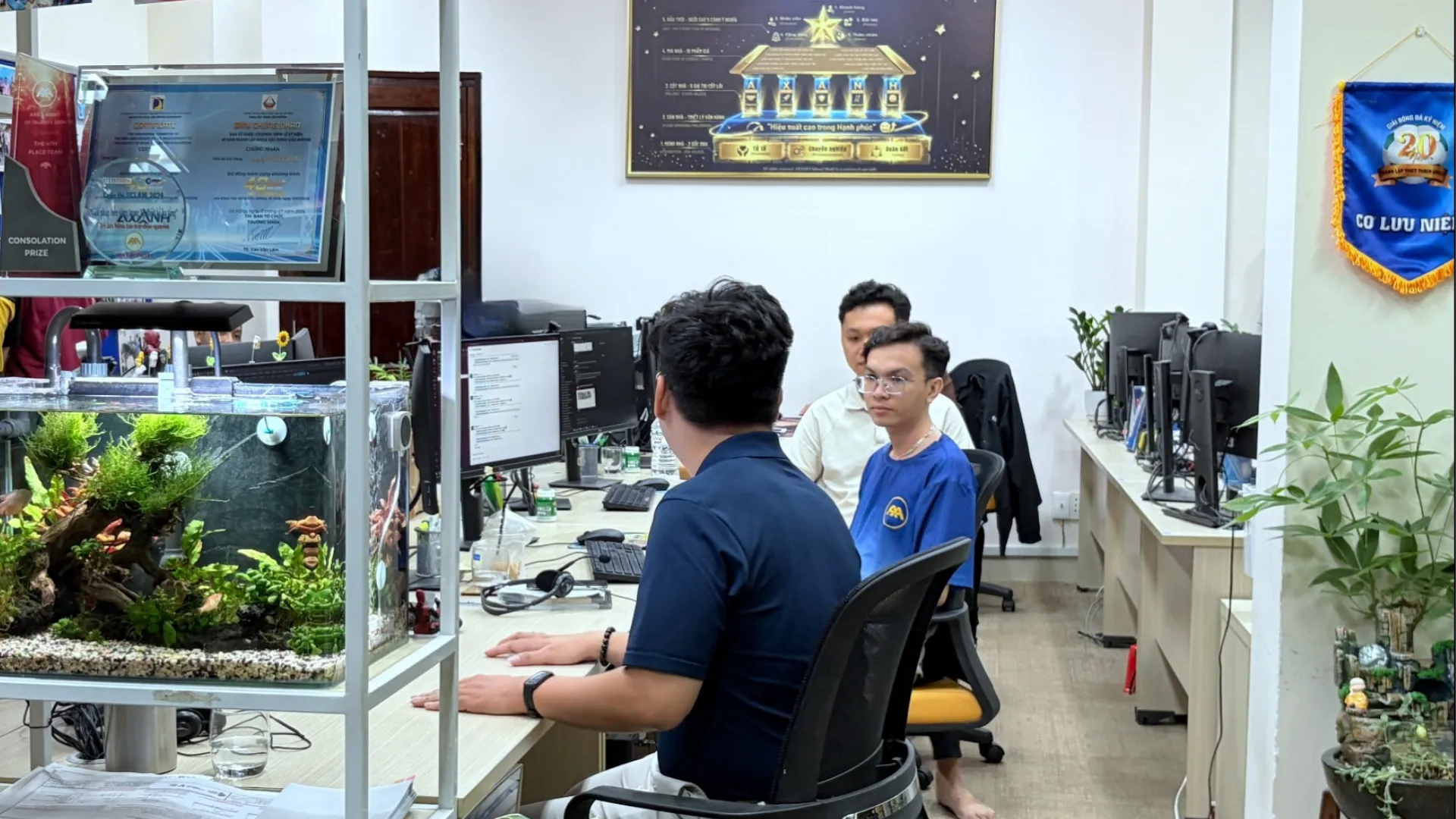
More than listening: Team members practised together
A defining part of the session was the opportunity to practise directly with the doctor and physical therapy technician.
After the presentation, team members stood up, performed gentle movements and observed how their bodies responded. The experts watched closely, explained each action and helped adjust positions where needed.
During this process, each participant could notice something different:
- Where more effort was being used than necessary.
- Whether one side of the body felt tighter than the other.
- Which movements needed to be performed more slowly and carefully.
- What range of movement felt appropriate.
- When to stop instead of pushing beyond a comfortable limit.
The goal was not to perform as many movements as possible. The emphasis was on awareness, moderation and listening to the body’s response.
This direct guidance also made the session different from simply reading a list of recommendations. Participants could ask questions, receive feedback and better understand how the ideas might apply to their own circumstances.

Four small adjustments to try during the workday
1. Check the monitor position before getting started
Before beginning a task that requires concentration, take a few seconds to check whether the monitor is directly in front of you and easy to view.
If you regularly need to tilt your head, lean forward or look downward, consider adjusting the monitor within the limits of the available equipment and continue observing how the change feels.
2. Bring the keyboard and mouse closer
Arrange the desk so that frequently used equipment remains within a convenient range. Items that are used less often can be moved elsewhere to prevent the keyboard or mouse from being pushed too far away.
The objective is not to create a visually perfect desk. It is to build a space that supports the actions performed most frequently.
3. Avoid holding one position for several hours
A position may feel appropriate at first without being suitable for continuous use.
Changing position, standing up, walking briefly or moving to a different task for a short period can introduce more variety into the working day.
Rather than searching for one position and attempting to hold it indefinitely, it may be more useful to respond to the body and adjust throughout the day.
4. Make breaks part of the working rhythm
Instead of waiting until discomfort becomes noticeable, a short break can be treated as a normal part of the working process.
A calendar reminder, a cue from colleagues or a shared office activity may make this habit easier to maintain.
The 5-minute break: Making a short pause genuinely useful
Taking a break does not necessarily mean stepping away from work for a long period. A few minutes can still create a meaningful change in physical position and attention.
During a 5-minute break, someone may choose to:
- Look away from the screen for a short period.
- Change the position they have been maintaining.
- Stand up and walk within an appropriate space.
- Relax the shoulders and arms.
- Perform a few gentle movements introduced by the experts.
- Drink water before returning to work.
The key is for the break to create a genuine change. Moving from a computer screen to a phone screen may not significantly alter the physical position or the state of attention.
For additional ideas on incorporating short periods of movement into the working day, readers may refer to the CDC guide to physical activity breaks in the workplace.
A short, intentional break does not need to interrupt the working rhythm. It can become a transition point that helps someone return to a task with renewed focus.
From one workshop to habits that continue
The workshop was not the final activity in the programme. Its knowledge and experiences continued through other initiatives held during AXANH Healthy Spine Week.
Healthy Desk Day
Healthy Desk Day gave team members an opportunity to review their workstations more systematically.
From monitor position and chair height to the arrangement of the keyboard, mouse and other desk items, each detail was considered through one simple question: does the current setup support a more convenient working experience?
The activity encouraged each person to assess their own workstation instead of expecting one standard arrangement to suit everyone.
Healthy Spine Reset
Healthy Spine Reset served as a reminder to step away from a position that had been maintained for some time, perform gentle movements and begin again with greater awareness.
A reset did not need to be complicated. It could simply involve standing up, relaxing the shoulders, adjusting the sitting position or spending a few minutes on movements introduced during the workshop.
Active breaks throughout the day
A personal habit is often easier to maintain when the surrounding environment supports it.
Through shared active breaks, AXANH aims to encourage a working rhythm in which paying attention to the body is not viewed as an interruption. Instead, it becomes part of preparing to return to work with greater comfort and focus.
Sustainable performance begins with care for people
At AXANH, well-being is not viewed simply as a reward that comes after the work has been completed.
A sustainable workplace should allow people to develop professionally and maintain concentration while also recognising the importance of their everyday working experience.
One workshop cannot address every issue connected to health in the workplace. Its practical value lies in building awareness, offering accessible guidance and encouraging small actions that can be repeated each day:
- Repositioning a monitor.
- Choosing to stand up.
- Using a short break with intention.
- Reminding a colleague to move together.
- Maintaining a positive habit over time.
Care for people does not always need to begin with a major statement. Sometimes, it begins by creating space for each team member to better understand their body, their habits and the way they experience the working day.
This is also how AXANH continues to nurture an environment in which professionalism, kindness and sustainable performance can grow together. Readers can discover more about AXANH and its people-centred approach.
Frequently asked questions
Who was the programme designed for?
The activity was organised for AXANH team members, particularly those who regularly work with computers and want to better understand workstation arrangement, position changes and the use of active breaks.
Did the programme provide medical diagnosis or treatment?
No. The programme focused on sharing knowledge, building awareness and introducing habits that may be applied in the workplace. Its content does not replace medical examination, diagnosis or treatment from a qualified healthcare professional.
Is there one sitting position that works for everyone?
There is no single setup that suits every body, type of equipment or working requirement. What matters is observing the body’s response, adjusting the workstation where appropriate and changing position regularly during the day.
This article shares habits and experiences from the workshop. It does not replace medical examination or advice from a qualified healthcare professional.
Start with one small adjustment
Try repositioning your monitor, relaxing your shoulders or standing up during your next break. A healthier workday can begin with one small change made today.
